
Seven document types
Invoice, quotation, estimate, payment receipt, delivery challan, credit note and debit note — each with its own number series, so a quotation never eats an invoice number.
Windows desktop billing software
A free billing and invoice app for PC: CustomBill Studio writes invoices, quotations, estimates and payment receipts for eleven kinds of Indian trade, on one Windows computer, with no account and no connection. It bills with or without GST, counts stock on the shelf and in the godown, keeps the balance owed on every bill, and prints the paper — on your counter. Small shops, freelancers and service businesses use it for the whole working day; billing never needs internet, and only the optional design catalogue download does. The first seven days on a new installation include everything the Premium licence adds.
What the app does
Each of these is a screen in the program, not a plan tier. The free edition does the billing; Premium lifts ceilings on designs, saved templates, reports and profiles.
Invoice, quotation, estimate, payment receipt, delivery challan, credit note and debit note — each with its own number series, so a quotation never eats an invoice number.
Every tracked product carries a shelf count and a warehouse count. A sale takes from the shelf first, then from the godown, and an oversell is refused by name.
Pick No GST, CGST + SGST or IGST per line. Place of supply, HSN/SAC and the tax columns follow the mode you chose.
A bill paid short keeps the balance. Record payments later against it, refund or cancel, and the history keeps both records.
207 built-in designs (104 Free, 103 Premium) plus a designer: colours, fonts, section order (rearranging the sections of a bill) on Premium only, column names, logo, UPI QR, A4 to 58 mm thermal. Changing the design never changes a total.
One-click validated backup and restore, CSV import and export, an in-app Guide and a first-run tour that walks the six screens.
The number printed on a tag sits on the product once. A scanner's keystrokes add that item to the bill at the counter, and the same codes print as 24-up A4 shelf tags.
Serial or IMEI and the cover period written on a bill line become a searchable register — active, expired or unstated — with the sale behind every entry one click away.
Photograph another firm's bill, or pick up its PDF, and the bill reader lifts the party, the date and the lines into a draft you check before anything is saved. A picture it cannot read is refused with the reason, not guessed at. Premium, on your own Google AI key.
The bill run
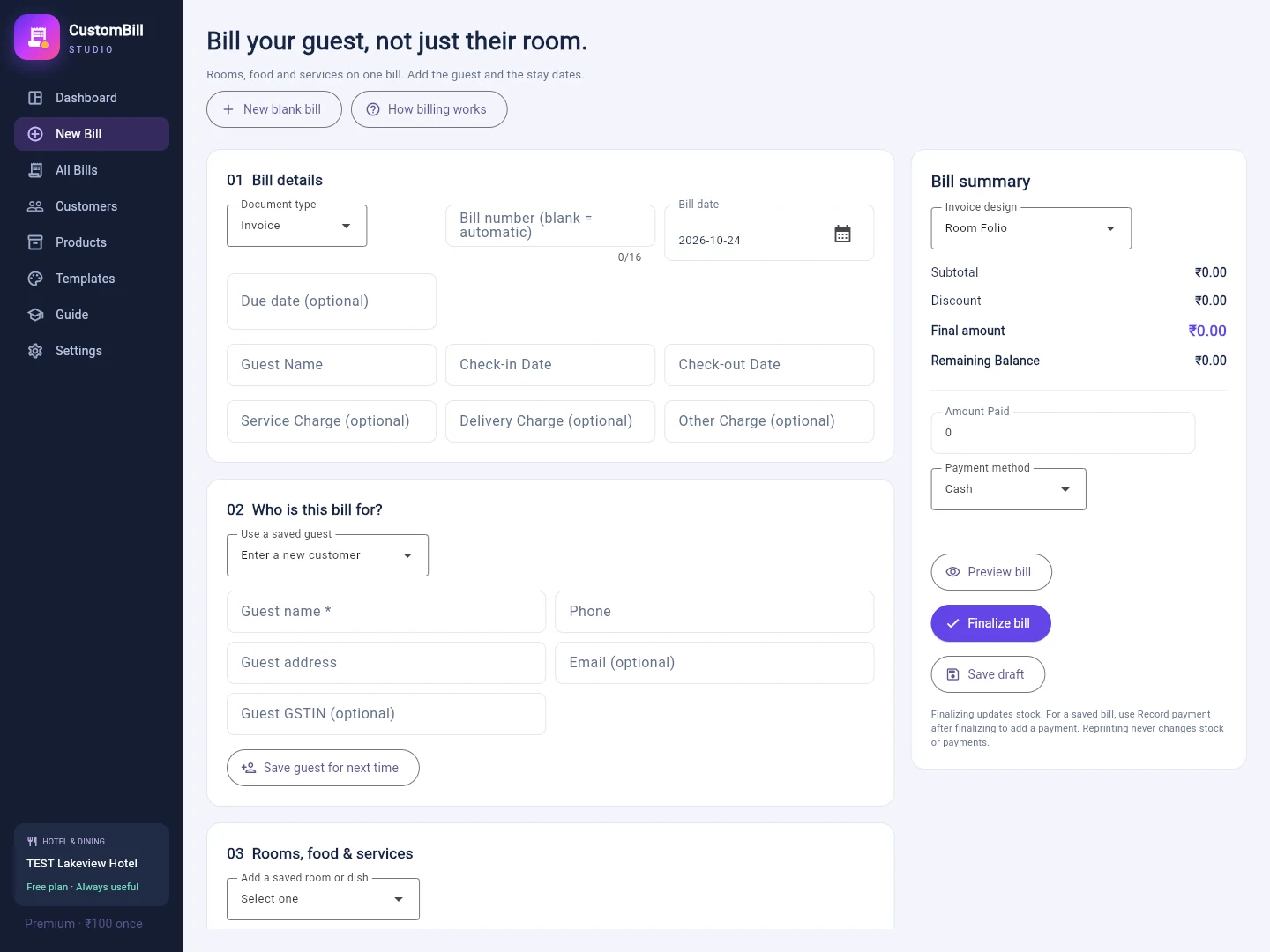
These are the cards on the New Bill screen, in the order the app puts them on screen.
Pick a saved customer or type a new one. Turn on walk-in sales in Settings and a blank name bills as Walk-in customer.
Tap an in-stock chip or type the line. HSN/SAC, unit, discount and GST % sit beside it, and the stock count prints under it.
The preview is the real PDF. A draft never touches stock; Finalize takes the units once and refuses a sale you cannot make.
Save the PDF or print it. Record part payments later, chase the dues list, duplicate a repeat order, or refund and cancel — the bill stays in history.
Your trade
The business type renames every field, changes the quantity unit, rewrites the dashboard and offers different one-tap items. Eleven are built in; type your own for anything else.
Looking for one kind of shop?
Each trade has a page of its own, with the fields it uses and what it prints.
Stock in two places
A counter does not stop selling because the carton is in the back room. Every tracked product is counted in two places, and a sale takes from the shelf first, then reaches into the warehouse for the shortfall.
| Situation | What the app shows |
|---|---|
| Tracked, healthy | 40 in stock · 12 shelf, 28 warehouse |
| Below the warning level | low · 3 left |
| Nothing left | out of stock |
| Selling 14 of 12 | only 12 in stock · 4 on the shelf, 8 in the warehouse |
Paper
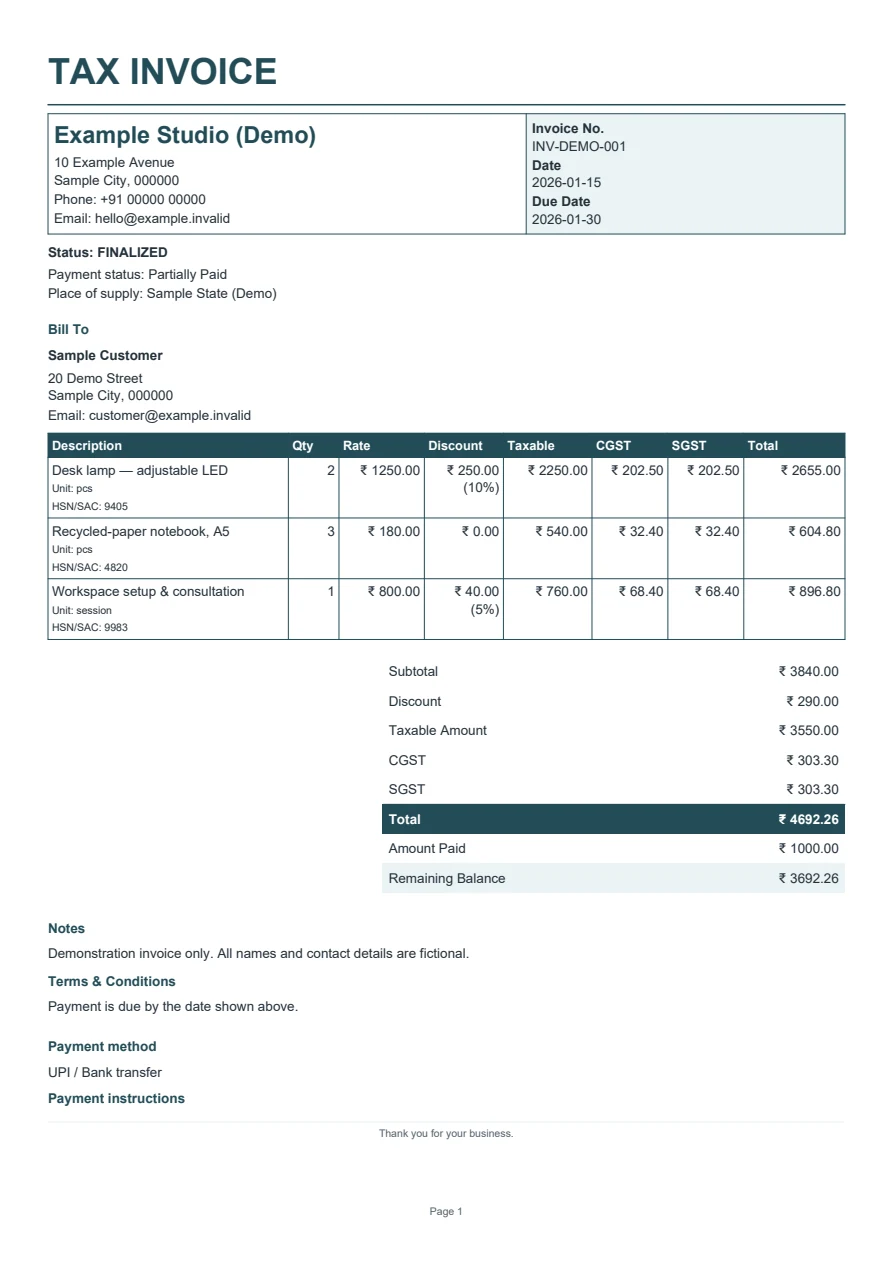
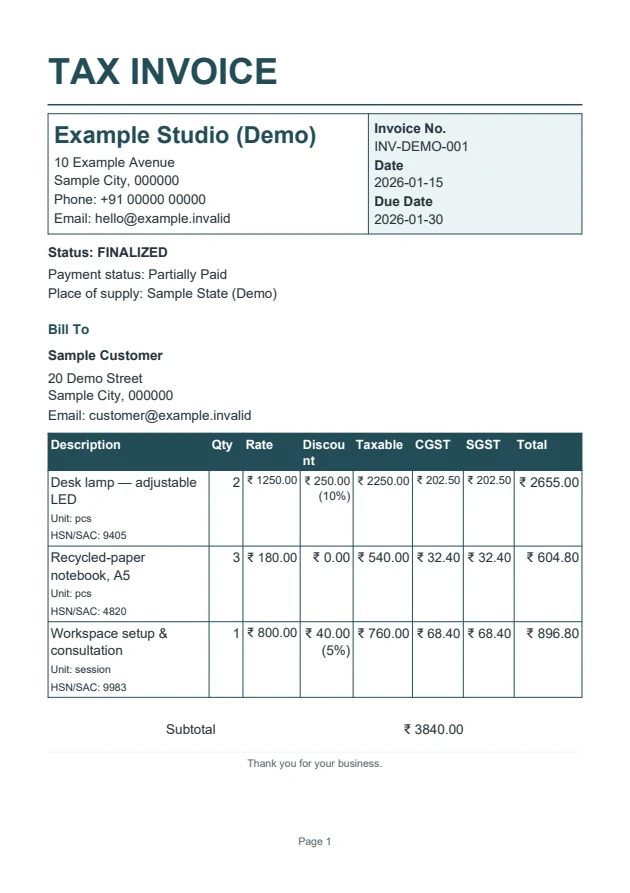
Every design states the sheet it is drawn for, the catalogue filters by it, and the live preview caption names the size in millimetres. The bills below were rendered by the program itself from its own PDF engine, using sample data.
Dues & collections
A bill saved with part of its amount paid keeps the rest as a due. Record a payment against it later — cash, UPI, card, bank or other — and the balance closes.
| Customer | Bill | Final amount | Paid | Remaining Balance | Status |
|---|---|---|---|---|---|
| Ravi Electronics | INV-24 | ₹12,000.00 | ₹0.00 | ₹12,000.00 | Unpaid |
| Mobile Point | INV-23 | ₹8,500.00 | ₹5,000.00 | ₹3,500.00 | Partial |
| Sharma Traders | INV-22 | ₹4,500.00 | ₹4,500.00 | ₹0.00 | Paid |
Sample figures. The status words — Unpaid, Partial, Paid, Overdue — are the filters on the All Bills screen.
studio.db in your data folderCustomBill Studio stays light on your counter: no background sync, no telemetry, and no hidden CPU drain when you are not using it.
Price
Nothing you have already created is ever locked behind a plan. Your saved bills, customers, products and designs stay readable and printable on Free, for as long as you use the app — and the first seven days on a new installation already run Premium.
All prices are in rupees, and the amount charged is the amount quoted.
Licences bought before this change have no expiry.
₹0
No cost, no time limit, no account. Unlimited bills, forever.
₹100 / 3 months
Up to 2 computers · each keeps its own data · no sync between them
Before you buy
Short answers. The longer versions are on the pages they link to.
Windows 10 or 11, 64-bit, runs the app. An older Windows 7, 8 or 8.1 till can still bill, by opening the till in a browser on the shop network behind a passcode. See the Download page.
The app's own screens are in English. You can type your trade name and your own field names in Hindi or any other language, and the bill prints them exactly as you typed them.
Inside the app there is a first-run tour and a Guide page that explains every screen. There is no demo video on this website.
Most shops print their first bill the same evening: the app walks you through four moves, and a written manual covers the rest. See Learning it.
The publisher answers directly, in the same language you write in. Send the version shown on the Settings screen and the bill number if a bill is involved.
Yes, from your backups. A backup is a validated archive; restore checks the archive before it touches your data and writes a safety copy of the live folder first. Keep the archives on another disk. See Data, backup and export.
A Premium licence covers up to 2 computers. Each computer keeps its own data and there is no sync between them, so you move data yourself with a backup archive. One till. Other computers in the shop can open it in a browser behind a passcode.
Getting started
Download CustomBillStudio.zip, extract the one file inside and double-click it. Windows
10 or 11, 64-bit, nothing to install alongside it, and it never asks for an account. Your data lands in
%LOCALAPPDATA%\CustomBillStudio — move that folder and the whole shop moves with it.
The download page lists every requirement.
Why shops choose it
There is nothing to sign up for and no login to lose. You open the app and bill.
Only the optional design catalogue download does. Your counter keeps working when the connection does not.
One folder, one database file, on your own computer. Nobody else holds your records.
207 designs in all — 104 Free and 103 Premium — and a designer to make them yours.
A bill paid short keeps the balance. Record the rest later and close it.
Every tracked product is counted in two places, and a sale takes from the shelf first.
No GST, CGST + SGST or IGST per bill, with HSN/SAC and place of supply beside it.
A validated archive, checked before it is trusted and copied before it is restored.
Free costs nothing, has no clock on it and needs no account. Premium lifts the ceilings when you want them lifted.
Questions
Free writes, saves, previews, prints and PDFs bills, keeps customers and dues, tracks shop and warehouse stock, applies GST, and backs up and restores. Premium adds design, template, report and profile ceilings — not the ability to bill.
Nothing is locked. A Premium licence is a term of three months and states its own end date. For seven days after that date the app keeps working fully and shows a reminder in the app. After that the app goes back to Free. Your bills, customers, products, backups and saved designs stay readable and printable, and billing is never locked. The saved licence and settings stay on the disk; importing a new licence brings Premium back.
Yes: CSV export for customers and products on Free, and invoice and payment CSV export on Premium, plus bulk PDF. The numbers come from the bill's own stored snapshot, so an export cannot disagree with a printed invoice.
No. It computes and prints the tax on a bill. It has no connection to any government portal and never has had one.
Choose by what matters to you
Most people look for the program by one of these, and each one has a page that answers it in full.
FAQ
The six questions the download page is usually opened for.
Yes. The free edition costs nothing, has no time limit and needs no account. It writes, saves, previews, prints and PDFs bills, keeps customers and dues, tracks shop and warehouse stock, applies GST, and backs up and restores. Premium lifts the ceilings on designs, templates, reports and profiles rather than adding the ability to bill, and nothing is ever charged automatically.
Yes. The counter, the PDF, the printer, the stock counts and the backups all run on your own computer, and nothing is sent anywhere while you bill. The only parts of the app that reach the internet are the optional design catalogue download and the bill reader, and the bill reader works only if you save your own provider key in Settings.
Windows 10 and Windows 11, 64-bit. The program is one .exe file inside one zip — extract it and double-click it, and there is nothing else to install. An older Windows 7, 8 or 8.1 till can still be used, by opening the till in a browser on your shop network behind a passcode.
It computes and prints the tax on a bill: no GST, CGST + SGST or IGST, chosen per bill, with the HSN or SAC code and the place of supply beside the line. It does not file returns, connect to any government portal, or mark a bill paid because a customer scanned a UPI QR.
Small shops, freelancers, studios and service businesses — eleven trades are built in, from a kirana store and a hotel to a salon, a pharmacy, a repair workshop and a design practice, and typing your own trade name teaches the app one more.
One zip, one .exe inside it. Open the download page, extract the file and double-click it. Your data lands in your own data folder, and moving to another computer is copying that folder.
One PC. Local-first billing. Paper you are willing to hand over. Premium is a three-month term you start again yourself, and no one else holds your records.